plot(cars)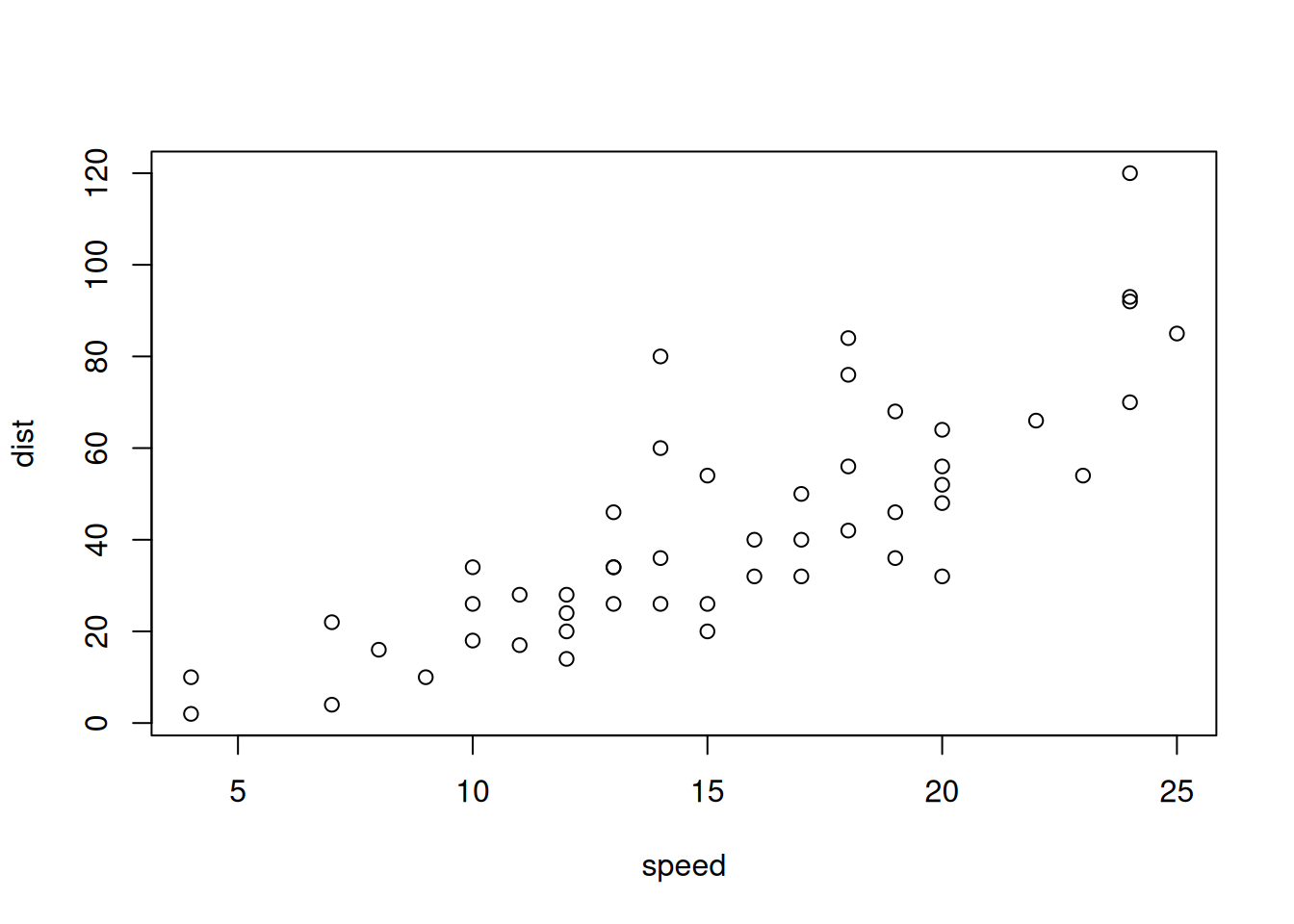
Reconnect with Quarto by mapping it onto the R Markdown you already know. By the end you will have written a short .qmd report with headings, an inline calculation, a code chunk that produces a figure, and a cross-referenced caption.
Throughout, remember the one-line mental model: Quarto is R Markdown that grew up.
This file is the lab. Render it now and confirm you get an HTML page.
Ctrl/Cmd+Shift+K).You should see a styled HTML document open in the Viewer.
The chunk grid below is rendered statically. Experiment with the chunk options echo, eval, message, warning, fig-cap, and include.
In Quarto, R chunk options are set using the #| prefix inside the chunk, rather than in the curly braces ```{r, echo=TRUE}``` as in R Markdown.
plot(cars)
From previous R Markdown experience and experimenting with Quarto below, write a short paragraph describing the differences you notice between R Markdown and Quarto using either bullet points or enumerated lists:
Your prose
The mean of the numbers 1 to 10 rendered inline is produced by `r mean(1:10)` and rendered as 5.5. Below, write your own inline expression that reports the number of rows in mtcars in the following sentence:
There are ____________ rows in mtcars.
Execute the chunk below. It draws a histogram with a caption. Take note of the chunk label (#| label: fig-mpg): you reference it elsewhere with @fig-mpg.
library(ggplot2)
ggplot2::mpg |>
  ggplot(aes(hwy)) +
  geom_histogram(bins = 20, fill = "#2E7D6B", color = "white")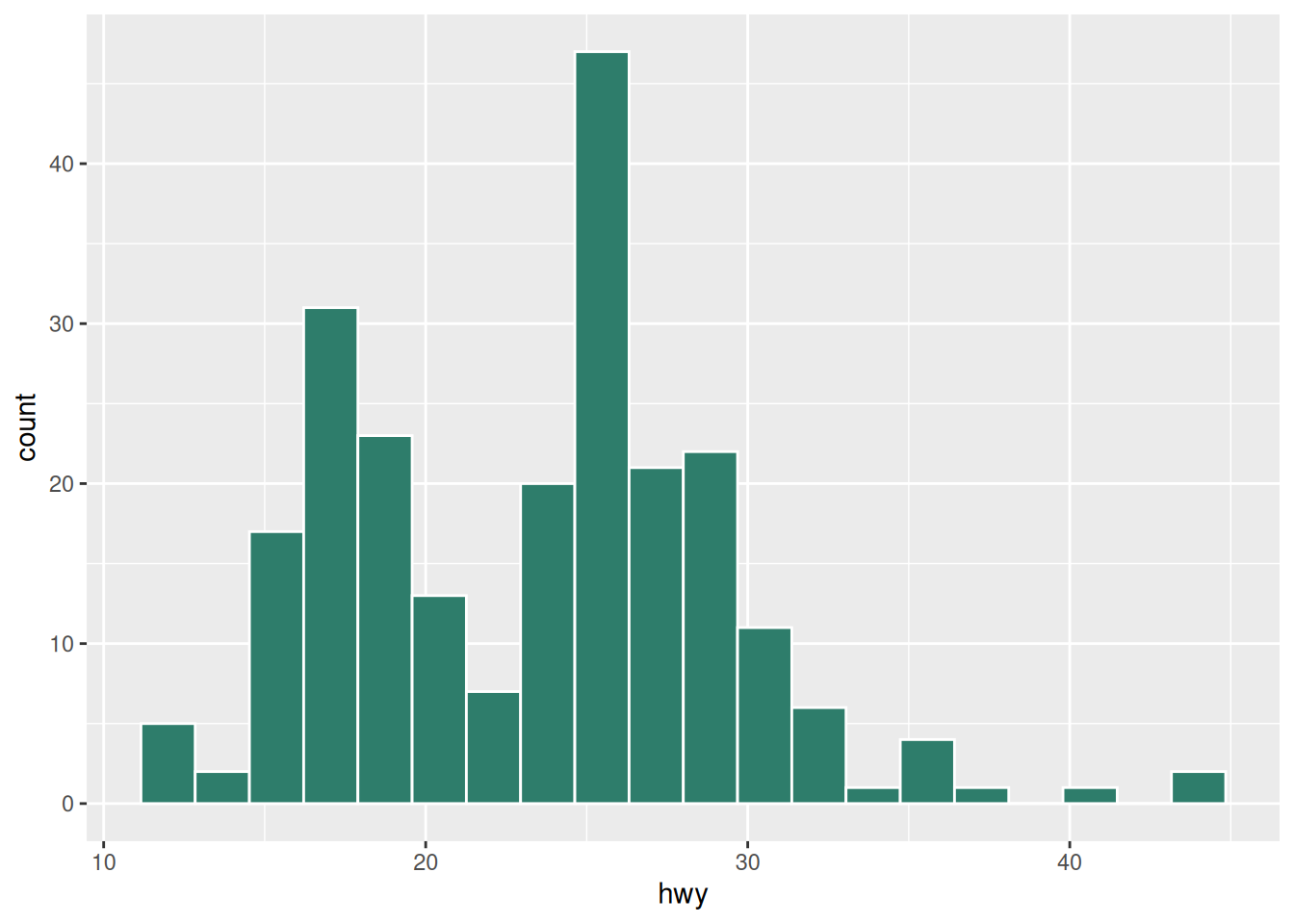
A sentence that points at the figure: see Figure 1 for the distribution.
Now add a second figure (a scatter plot of hwy vs cty) below, give it a label and caption, and cross-reference it in a sentence. Render the document and confirm both figure numbers update.
_quarto.ymlQuarto shines with projects. Create a _quarto.yml file next to this lab (same folder) with a shared HTML theme, so every .qmd in the folder gets the same look:
project:
  type: default
output-dir: _output

format:
  html:
    toc: true
    toc-title: "On this page"
    theme: cosmo
Render again. The output should now move into _output/ and gain a table of contents.
Answer these in a short paragraph (as comment lines or prose):
server: shiny in Qmd, previously runtime: shiny in R Markdown) and a Shinylive block? (Answer comes later in the workshop, but note your guess now.)You are done with Lab 1. Move to lab-02-shiny.qmd.