library(ggplot2)
ggplot2::mpg |>
  ggplot(aes(hwy)) +
  geom_histogram(bins = 20, fill = "#2E7D6B", color = "white")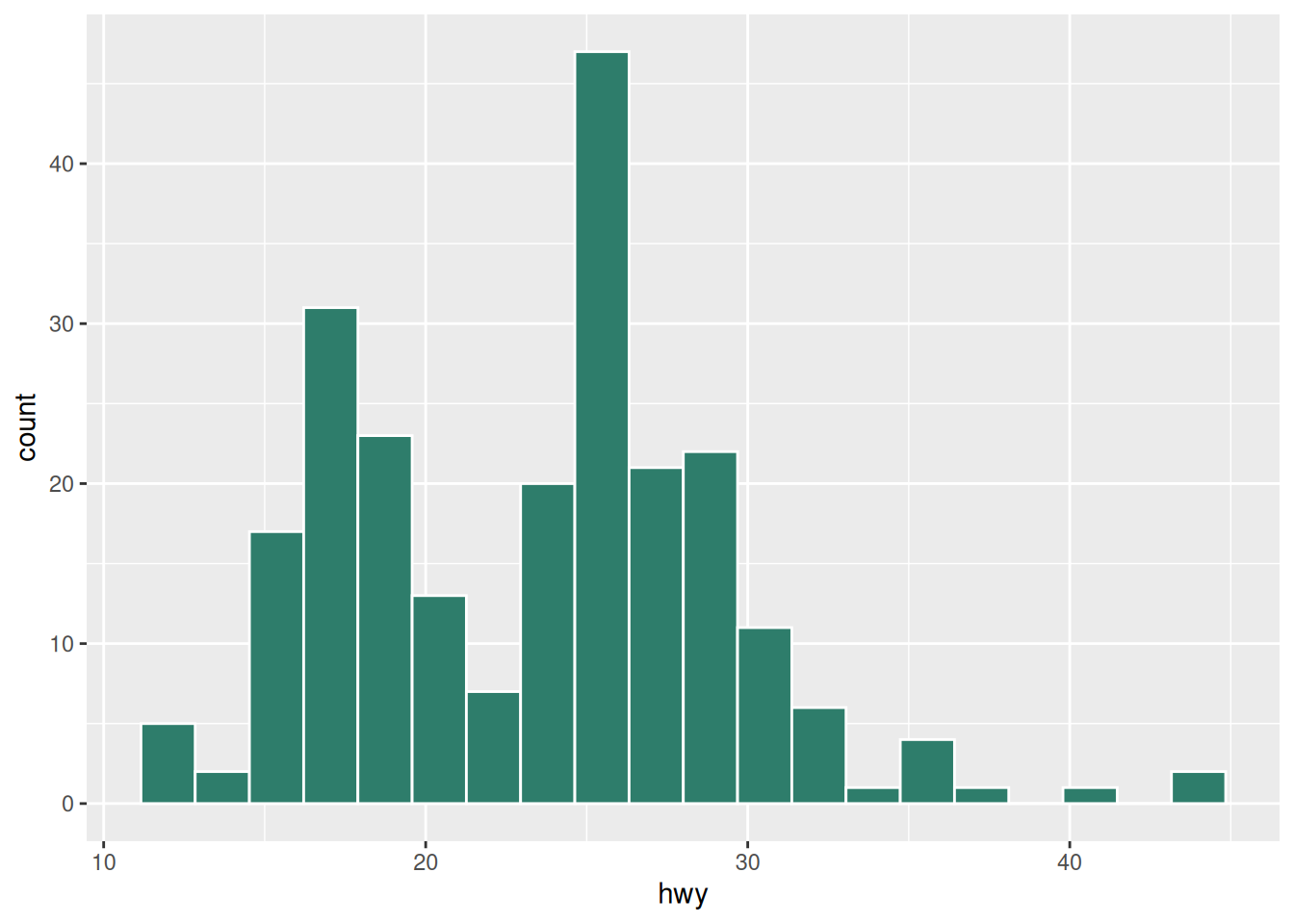
This example report shows the “report” half of Shinylive: static prose and figures, plus live Shiny widgets that run entirely in the browser via webR. It hosts on any static web service because the rendered output is plain files.
Also see the standalone-app half, in example-app/, which is exported with shinylive::export().
This paragraph and the figure below are computed at render time: they are baked into the page as an image. They do not change after publishing.
library(ggplot2)
ggplot2::mpg |>
ggplot(aes(hwy)) +
geom_histogram(bins = 20, fill = "#2E7D6B", color = "white")See Figure 1: it is immutable once rendered. By contrast, the widget that follows is live.
The block below is a complete Shiny app, wrapped in a {shinylive-r} block. It reacts in the reader’s browser, with no R server involved.
#| '!! shinylive warning !!': |
#|   shinylive does not work in self-contained HTML documents.
#|   Please set `embed-resources: false` in your metadata.
#| standalone: true
#| markup: code
#| viewerHeight: 512

library(shiny)

ui <- fluidPage(
  sliderInput("n", "Sample size", min = 10, max = 500, value = 100),
  plotOutput("hist")
)

server <- function(input, output, session) {
  output$hist <- renderPlot({
    hist(rnorm(input$n), col = "#2E7D6B", main = "Standard normal")
  })
}

shinyApp(ui, server)Here is a widget that works on a small bundled dataset. Because the package list is resolved from the block, only what the block needs is shipped.
#| '!! shinylive warning !!': |
#|   shinylive does not work in self-contained HTML documents.
#|   Please set `embed-resources: false` in your metadata.
#| standalone: true
#| layout: vertical
#| viewerHeight: 900

# Palmer penguins explorer
#
# A small, dependency-light Shiny app used in the workshop.
# It works both as a normal Shiny app (Run App) and exported with
# shinylive::export() to run in the browser.
#
# The penguins dataset comes from the palmerpenguins package.

library(shiny)
library(ggplot2)
library(palmerpenguins)

# palmerpenguins bundles and loads the penguins dataset.
penguins <- palmerpenguins::penguins

format_variable_unit <- function(var_names, unit_mapping) {
  sapply(var_names, function(x) {
    # Find if any unit key matches the end of the variable name
    matched_key <- names(unit_mapping)[sapply(names(unit_mapping), function(k) grepl(paste0(k, "$"), x))]

    if (length(matched_key) > 0) {
      # Order matches by length descending to match the most specific unit first (e.g., 'mm' before 'm')
      matched_key <- matched_key[order(nchar(matched_key), decreasing = TRUE)][1]

      # Clean the prefix by removing the matched unit and any trailing separators (_, -, or camelCase boundaries)
      clean_name <- sub(paste0("([_-]?|(?<=[a-z])(?=[A-Z]))", matched_key, "$"), "", x, perl = TRUE)
    } else {
      clean_name <- x
    }

    # Add spaces back if it was camelCase (optional, e.g., 'maxLength' -> 'max Length')
    clean_name <- gsub("(?<=[a-z])(?=[A-Z])", " ", clean_name, perl = TRUE)
    clean_name <- gsub("[_-]", " ", clean_name) # Replace separators with spaces
    clean_name <- trimws(clean_name)            # Clean extra spaces
    clean_name <- tools::toTitleCase(clean_name)

    if (length(matched_key) > 0) {
      return(paste0(clean_name, " (", unit_mapping[[matched_key]], ")"))
    }

    # Return original if no unit match is found
    return(clean_name)
  }, USE.NAMES = FALSE)
}

# 1. Define your unit dictionary
my_units <- list(
  "mm" = "mm",
  "g" = "g"
)

ui <- fluidPage(
  titlePanel("Palmer penguins explorer"),

  sidebarLayout(
    sidebarPanel(
      selectInput(
        "variable", "Numeric variable",
        choices = c()
      ),
      sliderInput("bins", "Number of bins", min = 5, max = 40, value = 20),
      fileInput("data", "Upload your own CSV (optional)", accept = ".csv")
    ),
    mainPanel(
      plotOutput("hist"),
      tableOutput("summary")
    )
  )
)

server <- function(input, output, session) {
  # Use the uploaded file if provided, otherwise the bundled dataset.
  df <- reactive({
    if (is.null(input$data)) {
      penguins
    } else {
      readr::read_csv(input$data$datapath, show_col_types = FALSE)
    }
  })

  observe({
    bare_vars <- names(df())[sapply(df(), is.numeric)]
    names(bare_vars) <- format_variable_unit(bare_vars, my_units)
    updateSelectInput(
      session = session,
      inputId = "variable",
      choices = bare_vars
    )
  })

  output$hist <- renderPlot({
    req(input$variable)
    df() |>
      na.omit() |>
      ggplot(aes(.data[[input$variable]])) +
      geom_histogram(
        bins = input$bins,
        fill = "#2E7D6B",
        color = "white"
      ) +
      labs(
        x = format_variable_unit(input$variable, unit_mapping = my_units),
        y = "Count",
        title = "Histogram"
      )
  })

  output$summary <- renderTable({
    req(input$variable)
    df() |>
      dplyr::summarise(
        n    = dplyr::n(),
        mean = mean(.data[[input$variable]], na.rm = TRUE),
        sd   =   sd(.data[[input$variable]], na.rm = TRUE),
        min  =  min(.data[[input$variable]], na.rm = TRUE),
        max  =  max(.data[[input$variable]], na.rm = TRUE)
      )
  })
}

shinyApp(ui, server)